To get started you should have Shoppa installed, open and currently logged into your account.
Install Shoppa
Do you not have Shoppa installed on your client and you’re in need of assistance?
- Check out How to install Shoppa
Open Shoppa
Open Shoppa by pressing the Shoppa icon on your desktop or through the start menu.
Log in
- Log in with account
- Automatic log in
If you have an account follow the instructions below
- Fill in your username and password in the corresponding fields.
- Press Login
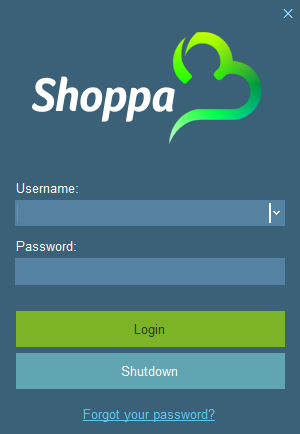
Lorem ipsum dolor sit amet, consectetur adipisicing elit. Optio, neque qui velit. Magni dolorum quidem ipsam eligendi, totam, facilis laudantium cum accusamus ullam voluptatibus commodi numquam, error, est. Ea, consequatur.
Username greyed out?
If the username field is greyed out and you cannot edit it, press shutdown and then open Shoppa again.